Restaurant management system: what it does and where AI fits.
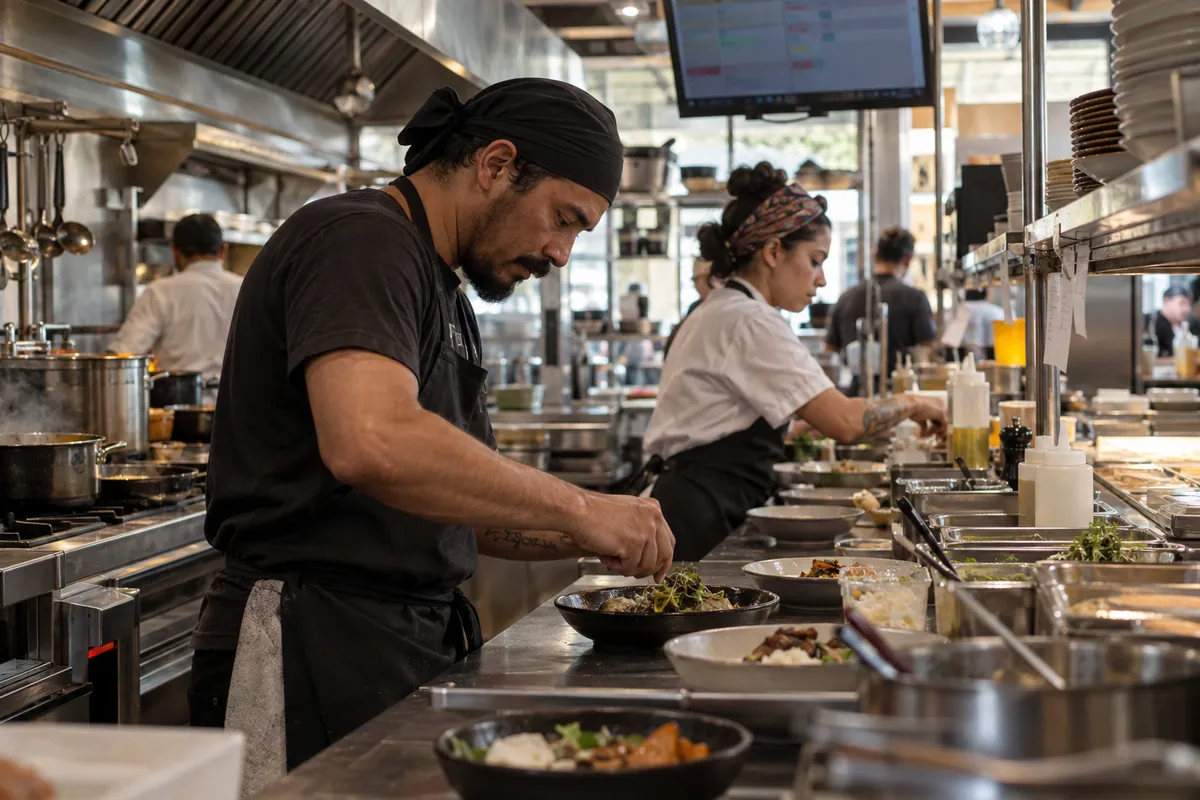
What does a restaurant management system do?
The system records each order from the moment the server writes it down until the customer pays. Along the way it notifies the kitchen, adds up the bill, takes the ingredients out of inventory and stores everything for reports.
Most systems are split into parts, usually called modules. You can start with a few and add others later:
- Order ticket: the order for each table or customer, entered on a tablet, the server's phone or at the counter.
- Table map: shows which tables are free, occupied or waiting for the check.
- POS (point of sale): the checkout, where the bill is closed and paid in cash, card or Pix, Brazil's instant payment system.
- Delivery: gathers orders that come from outside, by phone, WhatsApp or app.
- Inventory: tracks what comes in from purchases and what goes out in each dish.
- Recipe card: the recipe for each dish, with the amount of each ingredient and its cost.
- Finance and reports: sales by day, by dish, by server and by payment method.
Without a system, this information is scattered across paper pads, the card machine and the manager's memory. With one, it sits in a single place, and the person in charge can review the day without gathering paper from several places.
Lotaloja does not sell restaurant software. Our job is to choose with the owner what makes sense, connect the system to the other tools and use AI with the data it stores. See what we do in the sector at Food service: restaurants, bakeries, bars and snack bars. Cameras, queues and stock have their own operations articles.
How do order tickets and tables work in the system?
The electronic order ticket replaces the paper pad. The server picks the table on the screen, taps the dishes and sends the order. The kitchen gets it right away, on a thermal printer or on a screen above the counter. A thermal printer prints without ink, on special paper, like the ones in card machines.
The system splits the order by station. Drinks go to the bar, hot dishes go to the kitchen and dessert can be held until the server releases it. The kitchen no longer has to read hard handwriting, and fewer orders get forgotten.
On the table map, each table shows a color or a flag. You can see:
- how long the table has been open;
- what was ordered and what has not left the kitchen yet;
- who is serving that table;
- whether the customer asked for the check.
At payment time, the system splits the bill by person or by item, adds the service charge when the restaurant has one and sends the amount to checkout. Some card machines connect to the system and receive the amount without anyone typing it again. Ask the vendor about this before you sign.
Bars and snack bars that use consumption cards follow the same logic. The difference is that the ticket is tied to a card number instead of a table.
What is a POS and how does checkout work?
POS stands for point of sale. It is the part of the system where the sale is closed. It can be a computer at the counter, a tablet or even a phone. It shows the bill, takes the payment and records the method used.
At the end of the shift, the POS runs the cash closing. The system shows how much there should be in cash, card and Pix, and the cashier checks what actually came in. Any difference shows up on the spot, not at the end of the month.
Other tasks that usually sit in the POS:
- cash drops, which are cash removals during the day, with a record of who took the money and why;
- discounts and complimentary items, with a manager password to prevent abuse;
- item cancellations, also recorded;
- issuing the receipt or the consumer tax invoice.
The tax invoice needs care. In Brazil the rules change by state and by the restaurant's tax regime. Before choosing a system, ask your accountant which tax documents you must issue and confirm with the vendor that the system issues them in your state.
The checkout figures feed the company's cash control. To learn how to organize money in and money out, read the article on cash flow for small businesses.
Restaurant management system with delivery: how do you bring orders together?
Delivery orders usually arrive through several channels at once: phone, WhatsApp, delivery apps and the restaurant's website. When each one lives on a different screen, someone has to copy the order by hand, and that is where mistakes with addresses, change and items appear.
A good system with delivery puts all these orders in a single queue. The kitchen sees the order of preparation, the cashier sees what has been paid and the driver gets the address and the amount to collect.
What to check before choosing:
- whether the system receives orders from the apps you already use, with no retyping;
- whether it has its own menu with a link, so customers can order straight from you;
- whether it calculates the delivery fee by neighborhood or by distance;
- whether it shows the time of each order, from arrival until the driver leaves;
- whether it keeps each customer's history, so you know what they usually order.
WhatsApp is where many Brazilian restaurants get most of their direct orders. To connect WhatsApp to the system with an automated attendant, you need the official API, the version of WhatsApp built for software to talk to customers. Meta charges the API per delivered message, by message category, and does not charge for messages the customer sends to the business. Each business number gets 1,000 free service messages per month. The WhatsApp Business phone app is free and does not follow these charges.
Setting up a digital menu and WhatsApp ordering has its own article: digital menu and WhatsApp orders.
How does the system handle inventory and recipe cards?
The recipe card is the written recipe for each dish, with the weight or amount of each ingredient. A burger, for example, has a bun, meat, cheese, sauce and packaging, each with its own measure. The system uses this card for two calculations.
The first is the cost of the dish. With the purchase price of each ingredient, the system works out how much it costs to make that dish. The owner can then see whether the menu price covers the cost and how much is left.
The second is the inventory deduction. Each dish sold takes the recipe amount out of stock. At the end of the day, the system shows how much of each item should be left. When the real count is far below, something happened: waste, portions bigger than the recipe, entry errors or loss.
For inventory to work, three habits are needed:
- enter every purchase in the system, with quantity and price;
- keep the recipe card the same as what the kitchen actually makes;
- count stock often, at least for the most expensive items.
Many restaurants give up on inventory because entering purchase invoices takes work. This is one of the tasks where automation helps: the invoice arrives by email or photo, and a program reads the items and fills in the entry for someone to check. See an example in the spreadsheet that fills itself in.
With inventory and recipe cards up to date, the system also warns when an item reaches its minimum, so the purchase happens before it runs out in the middle of service.
How much does a restaurant system cost, and is there a free version?
Restaurant system plans are usually monthly, and the price changes with the modules chosen, the number of checkouts and devices and the volume of orders. That is why there is no single price. The right approach is to list what your restaurant uses and ask for a quote with those items.
On top of the monthly fee, add:
- equipment, such as a tablet, a thermal printer and the checkout computer;
- the card machine fee;
- setup and training, when the vendor charges separately;
- official WhatsApp API messages, if you use automated service.
Some vendors offer a free plan or a trial period. Before adopting one, read what is left out. Free plans often limit orders, users or reports, and sometimes do not issue tax invoices. A trial of a few weeks, during a quiet period, shows whether the team adapts.
Two questions prevent trouble later:
- Is the data mine? Make sure you can download sales, customers and recipe cards as a spreadsheet in case you switch systems.
- What happens if the internet goes down? Some systems store orders on the device and send them when the connection returns. Others stop.
Lotaloja plans cover the AI and automation layer around the system, and they are listed in plans and pricing. Third-party licenses, such as the restaurant system itself, are billed separately.
Is there an automated restaurant system? Where does AI fit?
The system stores the data. Artificial intelligence uses that data to do tasks that today take someone's time. These are the four areas where Lotaloja works most in restaurants:
Service and orders on WhatsApp
An AI attendant answers the questions that come up again and again: opening hours, menu, gluten-free options, reservations, delivery fee. It also takes the order, confirms the address and sends everything to the system's queue. When the question is out of script or the customer asks for a person, the conversation goes to someone on the team. See how it works in automated WhatsApp service.
Dining room camera that alerts the manager
An AI camera watches the dining room and sends an alert when an occupied table goes too long without service, when the checkout line grows or when the back door stays open. The system detects the event without identifying who is at the table. The details, including what Brazil's data protection law (LGPD) says about customer images, are in AI cameras and in the article AI cameras for shops and restaurants.
Weekly report on the owner's phone
Every Monday, a summary arrives by WhatsApp or email: how much was sold, which dishes sold most, which day was weakest, how much waste cost and what changed from the week before. The AI writes in short sentences, with no hard tables. See the automatic weekly report service.
Back-office tasks
Reading supplier invoices, matching the bank statement with card sales and following up on overdue event bills are tasks automation does for someone to review. More examples are in AI in administration.
What equipment does the restaurant need?
The equipment depends on the size of the place and how orders move. For most small restaurants, the basic list is:
- Counter tablet or checkout computer: runs the POS and shows the table map.
- Phones or tablets for servers: to enter orders at the table. In small places, one tablet at the counter is enough.
- Thermal printer: one in the kitchen and, if there is one, another at the bar. Some places replace the kitchen printer with a screen.
- Card machine: ideally one that connects to the system.
- IP camera: a camera that streams over the network and lets software analyze the image. This is what the AI uses to alert you about waiting tables or lines.
- Stable internet: with a backup mobile plan for outage days.
Before buying, check with the system vendor which printer and card machine models work with it. Equipment that does not talk to the system forces someone to type everything twice.
We list the models we recommend, with what each one is for, on the recommended equipment page, which includes a thermal printer, a counter tablet and a compatible IP camera. To ask for Google reviews or show the menu at the table, the store will soon offer plates with QR code and NFC, the technology that opens a link when a phone touches the plate.
How do you choose and start using it without stopping service?
A system switch works when it is done in steps and on a quiet day. This is the order we recommend:
- List what you do today. How many tables, how many servers, how many delivery orders a day, which apps you use and how you close the register.
- Mark what is required. Tax invoices in your state, connection to the card machine, your own delivery menu. The rest can come later.
- Ask for a demo with your menu. Seeing the system with your dishes shows more than a generic presentation.
- Load the menu and recipe cards before going live. Start with the best-selling dishes.
- Train the team during a slow hour. Run test orders from start to finish, including cancellations and split bills.
- Go live on a slow day. Keep the paper pad nearby during the first week.
- Add AI only after that. With the system running and data coming in, the WhatsApp attendant, the camera and the report have something to work from.
If you are not sure where to start, the free assessment takes three minutes and points to the areas of the business where automation can help first. For a detailed study of the restaurant, covering what is worth replacing, buying and automating, Lotaloja offers a full business analysis for R$ 199.
Good to know
Questions we often get.
Does the system work on the server's phone?
Many systems have an app for phones or tablets. Check with the vendor which devices are supported and whether each device counts as a paid user.
Does AI replace the restaurant manager?
No. It answers repeated questions, organizes orders and sends alerts and reports. Decisions stay with the manager and the owner.
Can I switch systems without losing my history?
Yes, if the current system lets you download sales, customers and recipe cards as a spreadsheet. Ask for that file before you cancel the contract.
Do bakeries and snack bars need the same system?
They use the same modules with different weight. Bakeries usually focus more on the counter, the scale and inventory, and less on the table map.
How long does it take to get started?
It depends on the size of the menu and the team. Loading dishes and recipe cards takes the most time, so start with the best sellers.
Keep reading
Articles on the same topic.
- Finance ·
Cash flow for small business, from notebook to automation.
How to set it up, which template to use, and how to make it automatic.
Read the article - Marketing ·
Google Business Profile: create, improve and reply.
From sign-up to review replies, following the rules Google publishes.
Read the article - Getting started with AI ·
How to use AI in a restaurant: a practical guide to get started.
Bookings, menu questions on WhatsApp, supplier invoices and reviews. What you can do today, for free.
Read the article
Start with the free checkup.
Six questions and three minutes, with your Google account. You get a written list of the tasks that can be automated and decide what comes next.